Friday, 31 May 2013

What is the best way to upgrade an existing BizTalk application?

I recommend a claw hammer, over the more traditional ball peen. It helps with uninstalls.

Thursday, 28 March 2013

.net reflector is free** again - why didn't anybody tell me?

Well "almost" free - the functionality that I loved about it most - the ability to rewrite IL - is available in two free products...

  1. Telerik's JustDecompile - takes the place of .NET Reflector; and doesn't cost a cent.
    This in itself is nothing earth shattering. There are a stack of other free de-compilers. However, when you add on...
  2. Reflexil - you regain the awesome ability to edit assemblies as you please. Make those locked down private method's public, adjust resources, or just rewrite chunks of code.
Neat...

Thursday, 28 February 2013

The compiler made me do it...

From the 3proxy FAQ...

Q: Why the code is so difficult and non-intuitive?
A: First, I'm not programmer. Second, . Third, . Fourth, the aim is to support different platforms. It's well known - the worse code is, the better it compiles.
This chap is way too harsh on himself. Sounds to me like he is a programmer - and of the highest order.

It's so good, I'm using in my next code review.

Friday, 22 February 2013

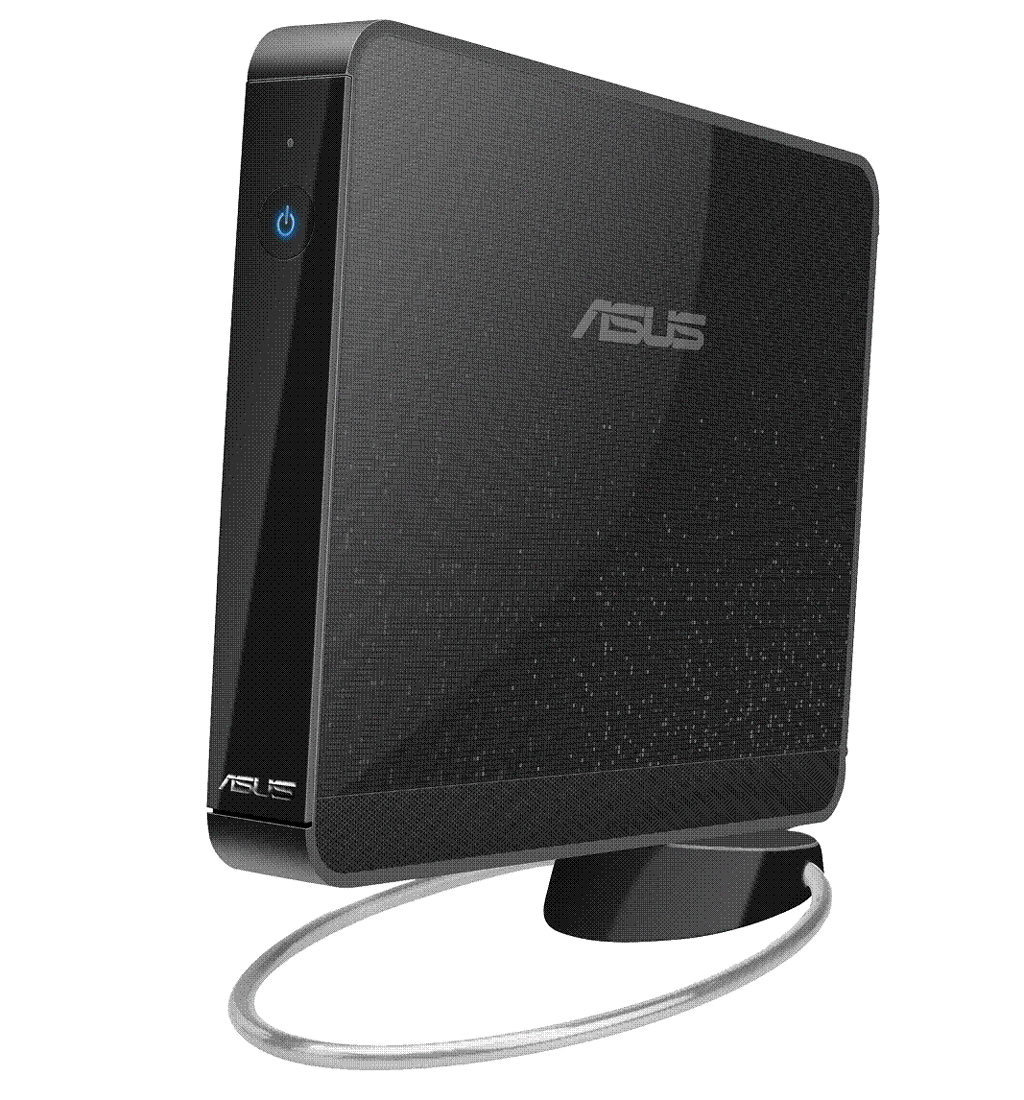
Asus Eee complains about 'Assuming drive cache: write through'

I had an old Asus Eee kicking around. Seemed like a perfect candidate for a headless Ubuntu 12.10 server.

That is, until it booted the first time, and played back the following message, over and over again:
[sdb] Asking for cache data failed
[sdb] Assuming drive cache: write through

Everything works fine. But the message is, err, annoying to say the least. Fortunately, the easy fix is to just turn off the buggy drivers. Which is a doddle. Just edit /etc/rc.local and add a line to turn it off.
rmmod ums_realtek

Reboot to make sure it kicks in, and we're done.

Source: https://bugs.launchpad.net/ubuntu/+source/linux/+bug/925760

Wednesday, 31 October 2012

Change your ubuntu computer name

This is an incredibly easy (trivial even) task - but it involves two steps. Which means I always forget one of them. So this might stop me from doing it in future...

Say you want to change your computer name to be: bender.example.org
  1. Edit the /etc/hostname file
        sudo nano /etc/hostname
    There's only one line in this file, change it to the desired computer name.
    In this case: "bender".
  2. Edit the /etc/hosts file
        sudo nano /etc/hosts
    Leave the first loopback (127.0.0.1) line alone, but change the second one to list both your computer name, and the fully qualified domain name (if it has one).
    In this case: "127.0.0.1    bender.example.org    bender"
Now you're changes will stick after a reboot, and you can still SSH into your machine. 'cause it's always embarrassing when you can't connect to the computer you just renamed...

Thursday, 12 July 2012

Microsoft, please wipe my phone. I don't need it anymore...

While trying out a ROM based on stock 4.0.1 (Ice Cream Sandwich); I noticed a scary warning when setting up Exchange ActiveSync to my work account:

So I'm thinking: would I really like someone else to be able to:
  • change the way passwords work on my phone?
  • change the lock screen settings on my phone?
  • change the encryption on my phone?
  • remotely wipe all data on my phone without warning?
I could easily imagine our daughter playing with the unlock screen, and triggering a remote wipe. Which would be fun for the first 1 to 2 seconds. Then pain for the subsequent 1 to 2 days.

How would one combat this (to me) potentially draconian IT policy?

Turns out (like most things with android); it's relatively easy - provided you invest a few minutes. The exchange sync provider,  like most things, is shipped independently as an APK file. The source code for the the provider is freely available, and if you don't like how it works -- well change it damnit...

Better yet - someone has already compiled it and packaged up the APK file. So all you really need to do is install it. xda-developers has all the goodies... To be clear:

  1. Download the APK from the link
  2. Delete the stock Email.apk file
  3. Copy the patched version in it's place
  4. Setup an exchange account as you normally would.
    Instead of the scary Exchange policy - you get a nice message that it will be ignored and a disclaimer that you are on your own.
Easy peasy. Kids can now draw pretty pictures with the lock screen without fear of triggering a remote wipe.


Wednesday, 22 February 2012

android 2.3.5 + htc sense 3.5 + facebook do not play nice...

I finally tracked down the incredibly annoying problem of incoming calls crashing com.android.phone (ie: the process that actually handles the incoming call!) Turns out something was attempting to draw absolutely nothing onto the canvas of the dialler (thanks android logs!). It was in fact a Facebook linked contact (with no image).

While there are a few documented work arounds. The simplest (albeit brutal), is to stop Facebook from synchronising contacts. More details are on the google group. In short:

Load Facebook app:

  • Settings -> Syncronize -> None
  • Logout
Android Settings:
  • Accounts and sync
  • Remove Facebook
  • Remove Facebook for HTC sense
Start answering incoming calls :-/